How to Install IBO Player on Firestick
2026 Complete Guide

Updated May 2026 • Works on all Fire TV Stick models (Lite, 4K, Cube)

Step-by-Step Installation Guide

01

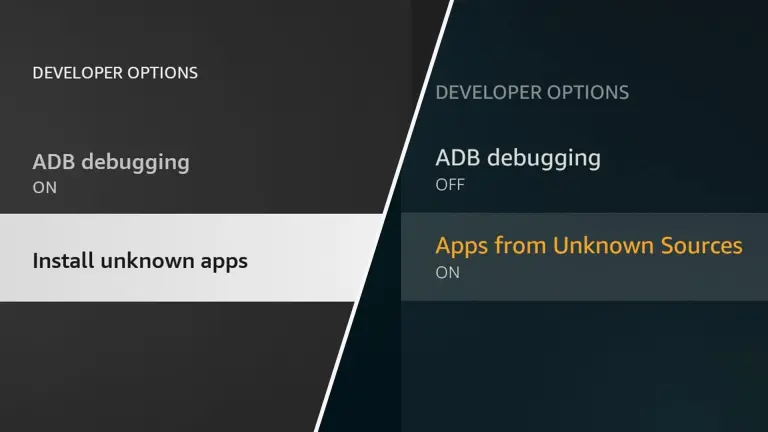
Enable Apps from Unknown Sources

  1. 1. Go to Settings on your Firestick
  2. 2. Select My Fire TV
  3. 3. Click Developer Options
  4. 4. Turn ON Apps from Unknown Sources
Firestick Developer Options
02

Install Downloader App

Search for "Downloader" in the Amazon Appstore and install it.
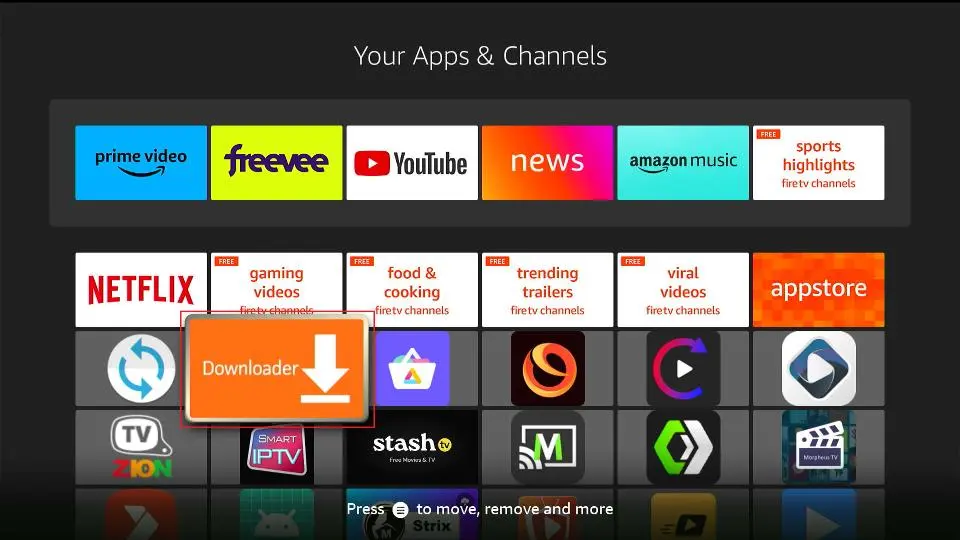
Downloader App on Firestick
03

Download IBO Player

Open Downloader and enter one of the following:

Code: 1171959
OR
URL: https://iboplayer.app/iboplayer.apk
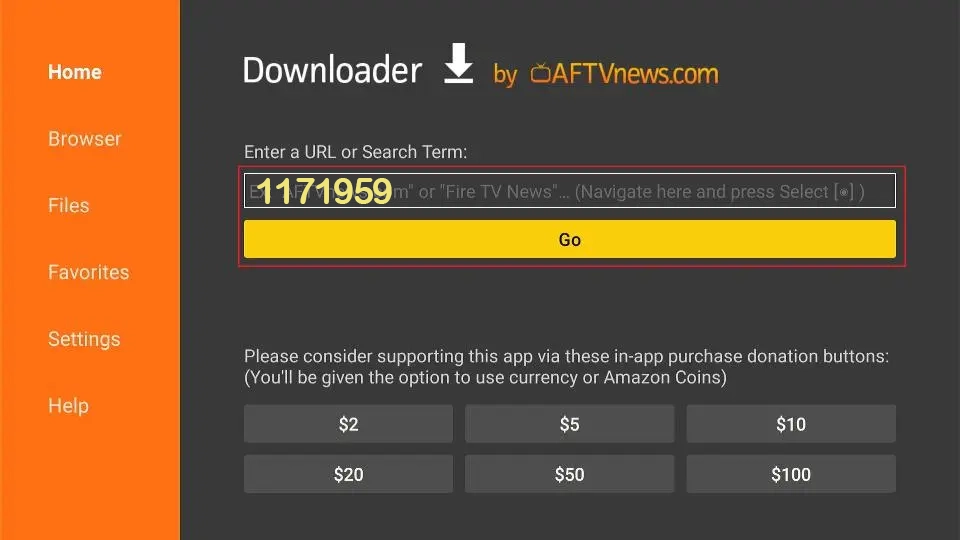
Downloading IBO Player
04

Install & Activate License

Open the app → Go to Settings → Device Information → Copy your Device ID/MAC and send it to us on WhatsApp for instant activation.
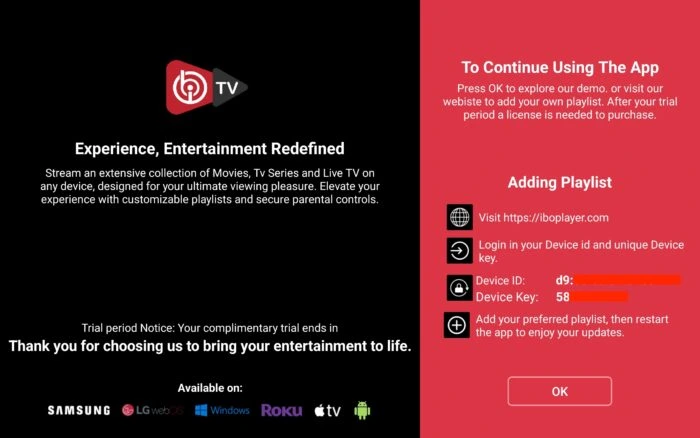
Device ID on IBO Player

Frequently Asked Questions

Why is my Firestick not installing the APK?

Make sure "Apps from Unknown Sources" is enabled and you have enough storage space.

How long does activation take?

Usually between 5 to 30 minutes after sending your Device ID.

Is IBO Player better than Tivimate?

Yes, many users prefer IBO Player for its stability and clean interface in 2026.

Ready to Install IBO Player?

GET ACTIVATION NOW